
Cooper Hewitt / Smithsonian Design Museum
Accessibility
Branding
Information Experience
Accessibility Researcher
UX Designer
Brand Designer
This Cooper Hewitt exhibit locked out blind and visually impaired users. Our audit diagnosed the gaps, redesigned the core interaction model, and delivered a fully accessible multisensory experience.
The original experience was built entirely around mouse-driven, visual interaction with no support for screen readers, keyboard navigation, or users with motor impairments.
Retain the integrity of the original artwork while expanding experience of the exhibit to visitors of all abilities.
Accessibility Audit
Compared aspects of the exhibit to WCAG AA standards to find where the exhibit failed or succeeded in visual accessibility.
Digital Exhibit Prototype
A new exhibit is based on how to improve in the areas where the exhibit did poorly or failed in the prototype.
Each cell displays an image of a bill and its corresponding drawing, but provides no description for screen readers
The interactive cursor fell below the 24px minimum, creating friction for users with motor impairments trying to select cells.
The palette relied heavily on red-green tones with insufficient contrast, a barrier for users with color vision deficiency.


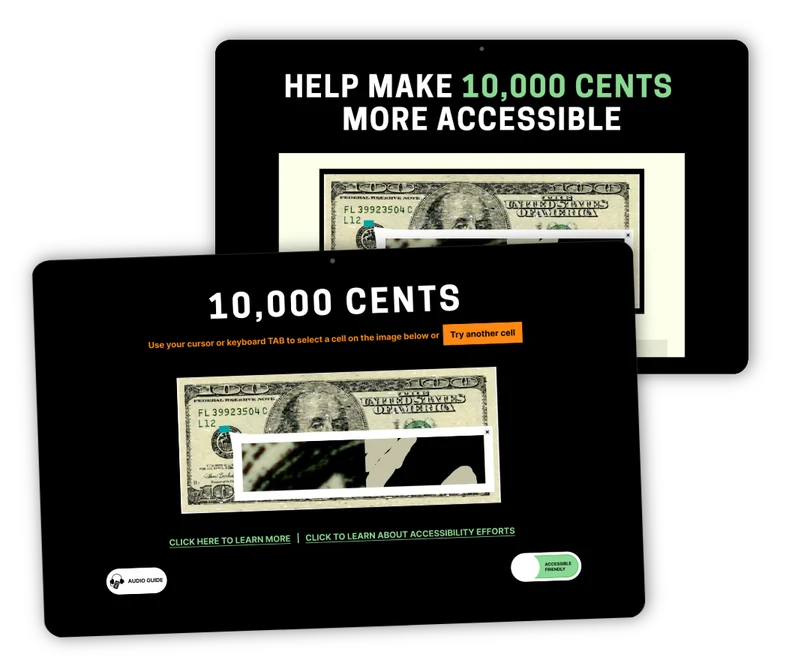
A screen reader–friendly structure ensures titles and navigation are easy to move through for non-visual users.

Visual information is translated into sound, giving users an auditory way to experience the exhibit's content.

Randomly selected cells are read aloud, creating an authentic and unpredictable exploration just like the visual experience itself.


A verbal guide walks users through the exhibit and its broader context, ensuring the story behind the work is never lost.

Users can seamlessly switch between the accessible and original layouts, giving them full control over how they experience the exhibit.
addressed across alt text, contrast, and motor impairment
via alt text and audio descriptions
via tab-index with WCAG 2.1 + Section 508 compliance
The multisensory approach and the toggle view, which demonstrated that accessibility decisions could be expansive rather than reductive, impressed the Cooper Hewitt team. Appreciating how these solutions strengthened public engagement and added to the understanding of the experience, the team was excited to start implementing these changes.
The redesigned accessibility experience was presented to the Cooper Hewitt team, reimagining 10,000 Cents with screen reader support, keyboard navigation, audio guides, and a toggle between the original and accessible layouts, all while preserving the artistic integrity of the original work.
The project was well received by the Cooper Hewitt team. While the goal was accessibility compliance, what resonated most was the multisensory approach — an interpretation that invited visitors of all abilities to engage with the exhibit in inclusive, interactive ways.
Accessibility and artistic integrity don't have to be in conflict. Thoughtful design can honor an artist's original intent while opening the work up to audiences who would otherwise be excluded from it entirely. If I had the chance to explore user painpoints and accessibility issues after the redesign, I'd question how might blind and deaf users fully engage with the exhibit? How can alt text and narration be expanded to support additional languages?